Downloading your Voter ID card (e-EPIC) has become faster and easier than ever. Whether you need a digital copy for official verification, address proof, or upcoming elections, the Election Commission of India (ECI) allows all registered voters to download a PDF version of their Voter ID directly to their phone or computer.
This step-by-step guide walks you through downloading your official e-EPIC card online in just under two minutes.
Step-by-Step Process: How to Download Voter ID Card Online
Step 1:- First, visit the official website by clicking on the link provided above.
Step 2:- Log in to the portal using your ID and password. If you are a first-time user, click the ‘Sign-Up’ button to register your mobile number.
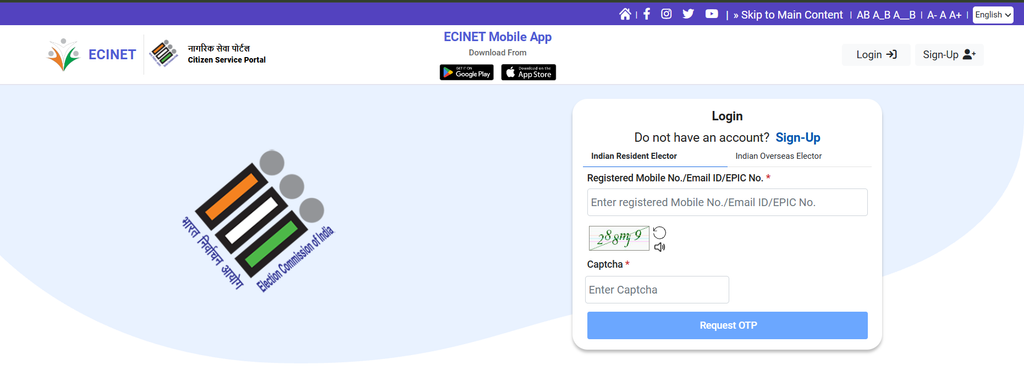
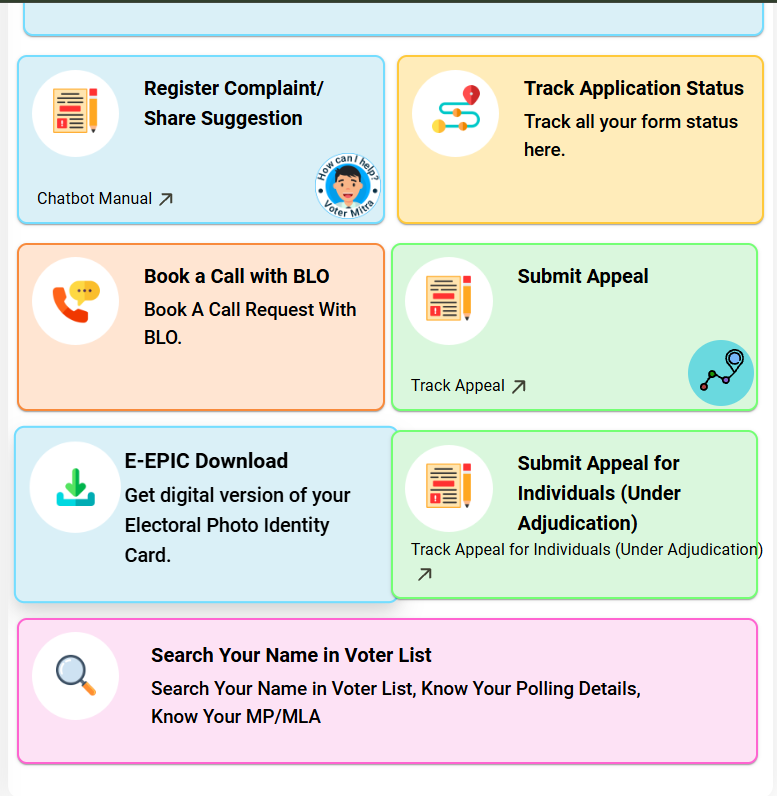
Step 3:- After logging in, you will see the “E-EPIC Download” button on the homepage; click on it.
Step 4:- You will now have two options. Enter your EPIC Number and select your state. Then, click the ‘Search’ button.
Step 5:- Your details will appear on the screen. Click the ‘Send OTP’ button below. A 6-digit code will be sent to your registered mobile number; enter it and click ‘Verify’.
Step 6:- Once verification is successful, the ‘Download e-EPIC’ option will become active. Click on it to download your digital voter ID card.
Prerequisites Before Downloading Your Voter ID
Before starting the download process, ensure you have the following details ready:
- EPIC Number (Your Voter ID card number) or your Form Reference Number.
- Registered Mobile Number linked with your Voter ID for OTP verification.
What is an e-EPIC Voter ID?
An e-EPIC (Electronic Electoral Photo Identity Card) is a secure, portable document format (PDF) version of your original physical Voter ID.
- Legally Valid: Equal to the physical plastic card for all official purposes.
- Secured: Contains a non-editable PDF with a QR code containing user photos and demographic details.
- Convenient: Can be saved on your smartphone or stored safely inside your Digilocker account.