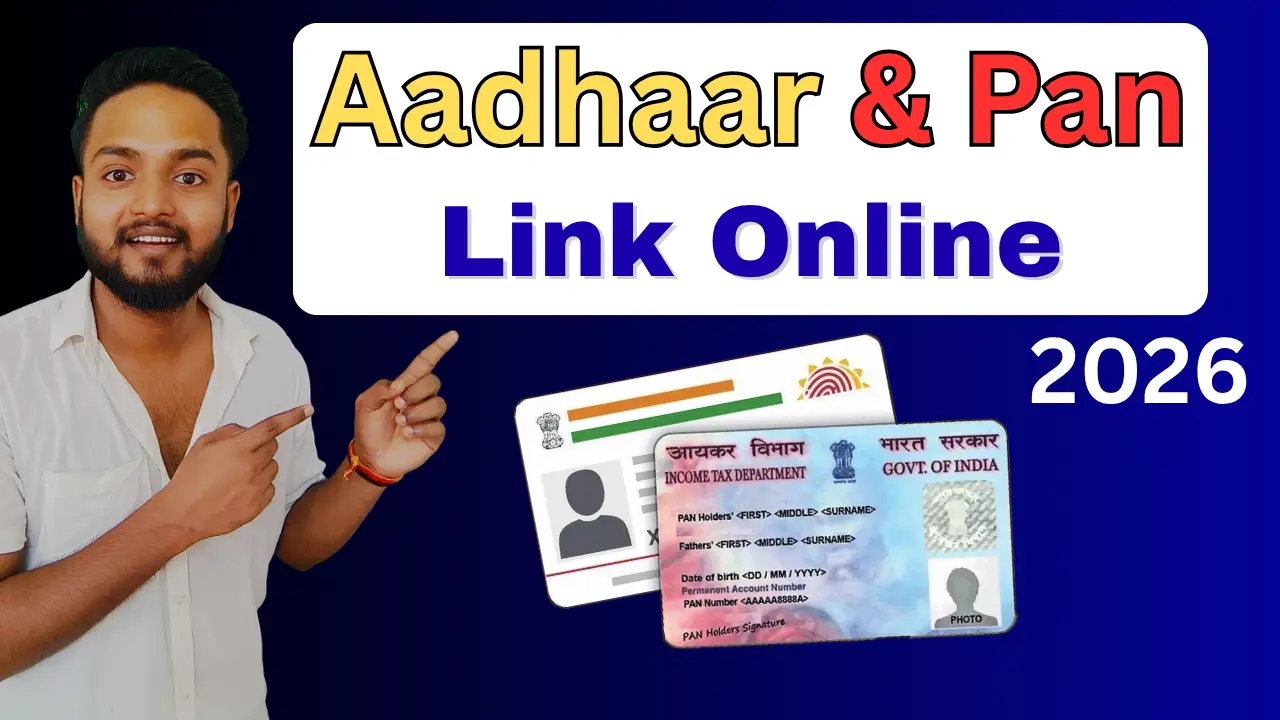
Aadhaar-PAN Linking :- The government has made it mandatory to link Aadhaar cards with PAN cards, In such a scenario, if your Aadhaar card and PAN card are not linked, you could face significant difficulties in the future—such as issues with transferring large sums of money from one account to another, among various other problems. Therefore, you should ensure that your Aadhaar and PAN are linked. The complete, step-by-step process for linking your Aadhaar card and PAN card online from the comfort of your home is outlined below.
How To Linking Aadhaar and PAN Full Prosses.

Step 1:- First, you need to visit the official website by clicking on the link provided above.
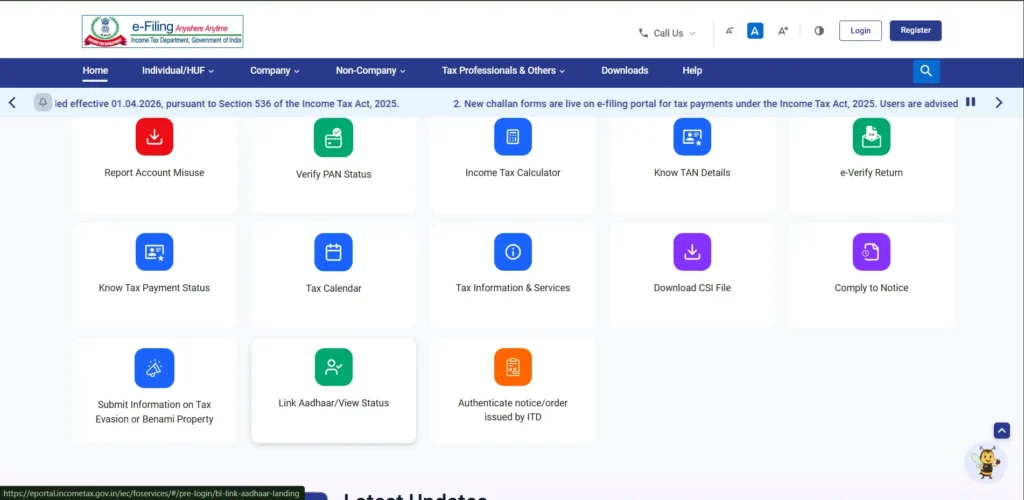
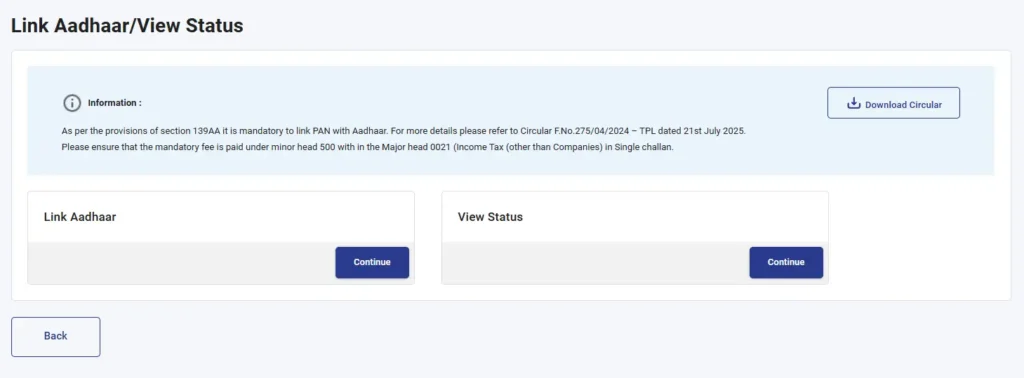
Step 2:- As soon as you visit the official website, you will find the ‘Link Aadhaar’ option there; you will need to click on it.
Step 3:- Next, two new options will appear before you: ‘Link Aadhaar’ and ‘View Status’. If you wish to link your Aadhaar and PAN, proceed with the ‘Link Aadhaar’ option; however, if you want to check whether your Aadhaar and PAN are already linked, proceed with the ‘View Status’ option.
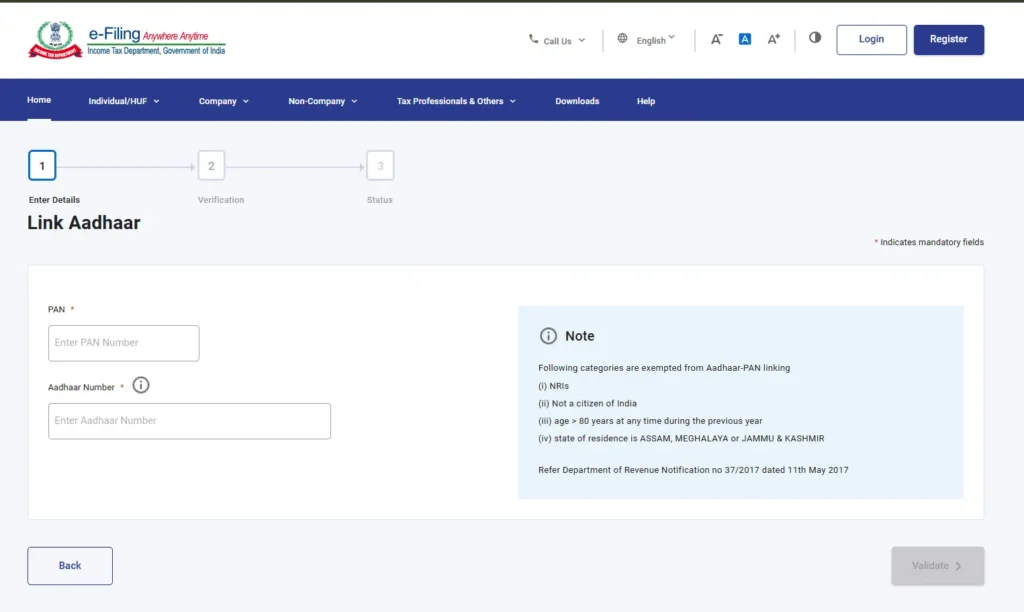
Step 4:- You will then be directed to a new page where you will need to enter your PAN card number and Aadhaar card number, and then click ‘Next’.
Step 5:- Upon clicking ‘Next’, a new message will appear on your screen, where you will need to click on “Continue to pay through PayTax”.
Step 6:- Next, you need to re-enter your PAN card number and mobile number, and then click ‘Continue’. You will then receive an OTP on your mobile number; enter that OTP and proceed by clicking ‘Continue’.
Step 7:- Next, the payment method options will appear before you; you will need to select ‘Income Tax’ and proceed.
Step 8:- Next, you will be presented with an option to select the Assessment Year; here, you need to select 2026-2027. Then, under ‘Payment Type’, select ‘Other Receipts (500)’ and proceed by clicking ‘Continue’.
Step 9:- Next, a receipt for ₹1,000 will appear before you, where you will need to proceed and complete the payment of ₹1,000 using UPI or Net Banking.
Step 10:- Once you complete the payment, an option to download your challan receipt will appear, which you can download and keep for your records.
Step 11:- After paying the challan, you need to return to this portal after 1 to 2 hours and click on the ‘Link Aadhaar’ option.
Step 12:- Next, you will need to re-enter your PAN and Aadhaar numbers and click on ‘Validate’. Upon clicking, a message will appear displaying your Challan Number and BSR Code; simply click on ‘Continue’ once again.
Step 13:- Next, you need to enter your name and mobile number, and click on ‘Link Aadhaar’. You will receive an OTP on your mobile number; enter that OTP and click ‘Continue’.
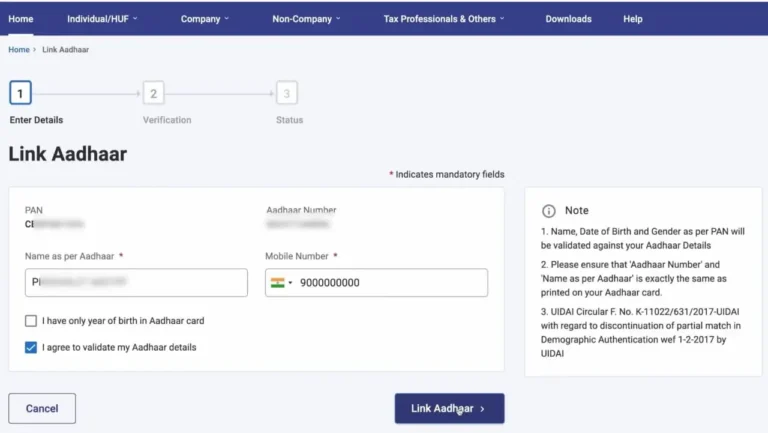
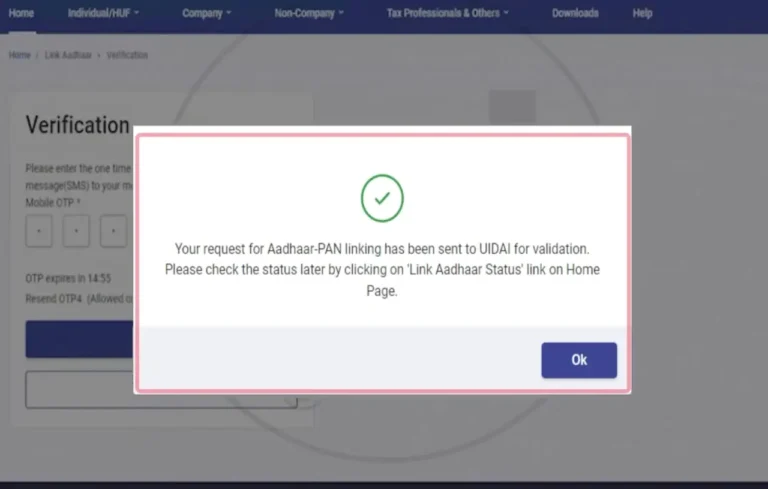
Step 14:- As soon as you enter the OTP, your request to link your PAN card and Aadhaar card will be successfully completed. Within a few hours, your Aadhaar card and PAN card will be linked, and you will also be notified via a message.