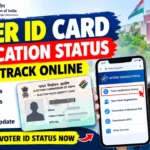
Having a durable, pocket-friendly PVC Voter ID card is incredibly convenient. The Election Commission of India (ECI) allows citizens to replace their old paper voter IDs with a high-quality plastic PVC card right from the comfort of their homes.
If you are wondering how to get your hands on a new plastic voter smart card, this ultimate step-by-step guide will walk you through the entire online application process, the fees involved, and how to track your delivery status.
Step-by-Step Guide to Order PVC Voter ID Card Online
Step 1:- Visit the official Election Commission of India website: voters.eci.gov.in (formerly NVSP).
Step 2:- Login or Register
- If you already have an account, enter your mobile number/email, password, and captcha code to Login.
- If you are a new user, click on Sign Up, enter your mobile number, and create your account using the OTP sent to your phone.
Step 3:- Once logged into your dashboard, look for the section titled “Shifting of residence/Correction of entries in existing electoral roll/Replacement of EPIC/Marking of PwD” and click on Form 8.
Step 4:- After that A pop-up will ask whether you are applying for “Self” or “Other User”.
- Select Self if your account is linked to your own EPIC number.
- Enter the EPIC Number and click Submit. Your voter details will appear on the screen; verify them and click OK.
Step 5:- You will see four options. Select the third option: “Issue of Replacement EPIC without correction” and click OK.
Step 6:- The portal will ask why you need a replacement card. You will get three options:
- Lost: (Note: If you select ‘Lost’, you will need to upload a copy of a Police FIR).
- Destroyed due to reason beyond control: (Select this if your card is torn, damaged, or faded due to floods, fire, or natural wear and tear. No FIR required).
- Mutilated: (Select this if the card is physically damaged but you still have it).
Step 7:- Aadhaar Authentication & Declaration
- Enter your Aadhaar Number (optional but recommended for faster processing).
- Fill in your current Place (your city/village name).
- Enter the Captcha code correctly and click on Preview and Submit.
Step 8:- Review your Form 8 preview carefully. If everything looks correct, click Submit. You will instantly receive a unique Reference Number on your screen and via SMS. Copy this number down safely!
How to Track Your PVC Voter ID Card Delivery Status
After submitting your application, you can easily track its progress online:
- Go back to the voters.eci.gov.in homepage.
- Click on the Track Application Status tab.
- Enter your Reference Number and select your State.
- Click Submit.
You will see the live status of your application (Submitted — rightarrow — Appointed –rightarrow — Field Verified — rightarrow — Accepted/Rejected — rightarrow — Card Printed & Dispatched).