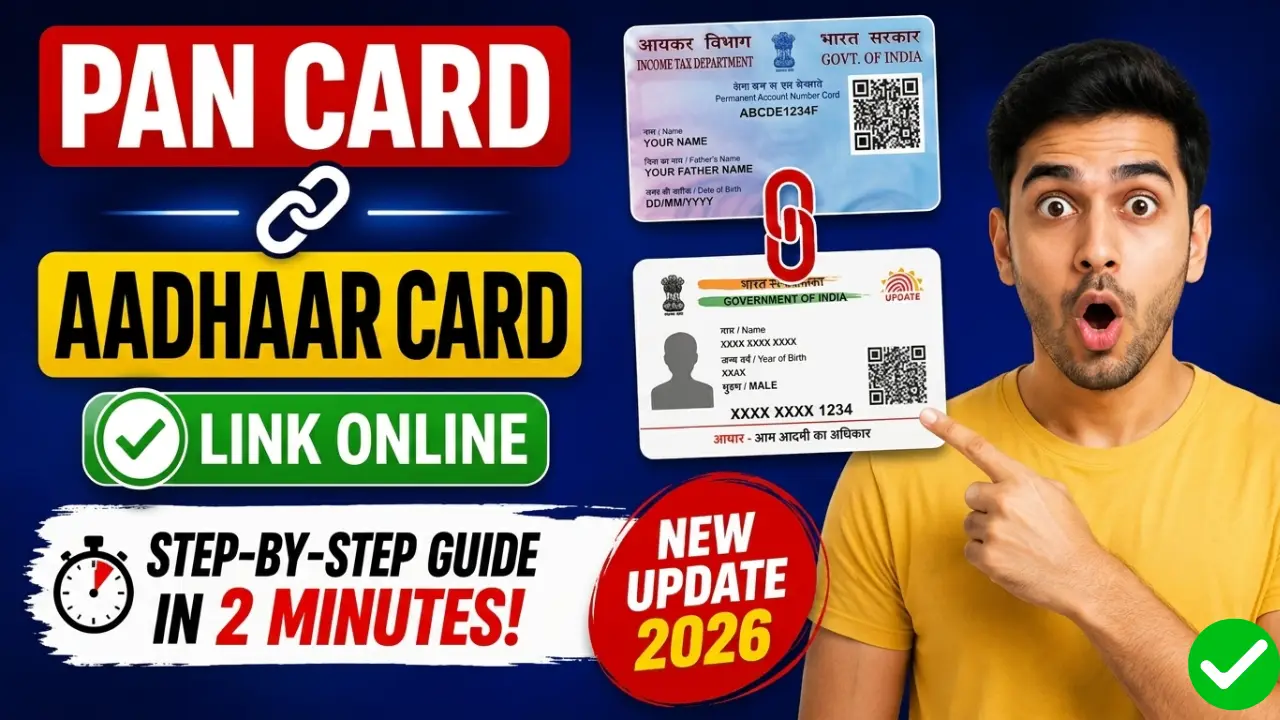
Linking your PAN card with Aadhaar has become mandatory for most Indian taxpayers. If your PAN is not linked with Aadhaar, your PAN may become inoperative, and you could face problems while filing Income Tax Returns, opening bank accounts, investing in mutual funds, or completing KYC verification.
In this detailed guide, you will learn how to link PAN with Aadhaar online, check PAN-Aadhaar link status, pay the linking fee, and solve common errors in 2026.
How to Link PAN Card with Aadhaar Online
Step 1:- First, click on the link provided above to proceed to its official website.
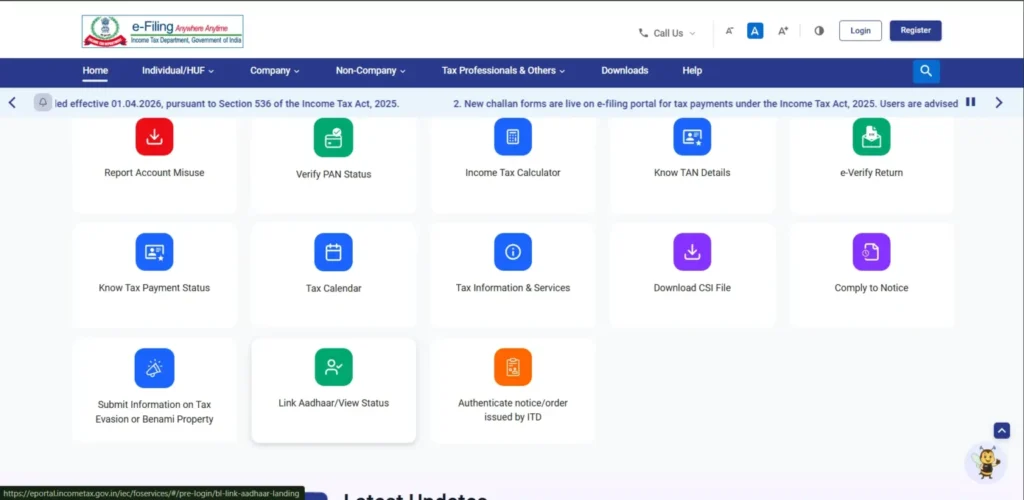
Step 2:- As soon as you visit the official website, you will find the ‘Link Aadhaar’ option there; you will need to click on it.
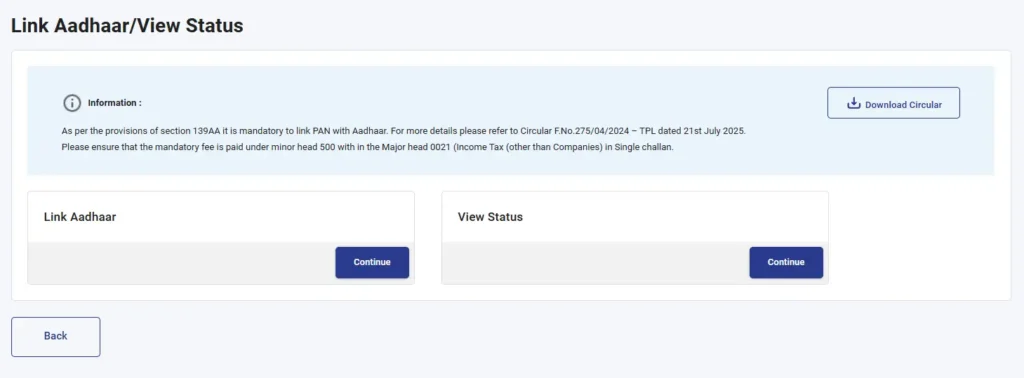
Step 3:- Next, two new options will appear before you: ‘Link Aadhaar’ and ‘View Status’. If you wish to link your Aadhaar and PAN, proceed with the ‘Link Aadhaar’ option; however, if you want to check whether your Aadhaar and PAN are already linked, proceed with the ‘View Status’ option.
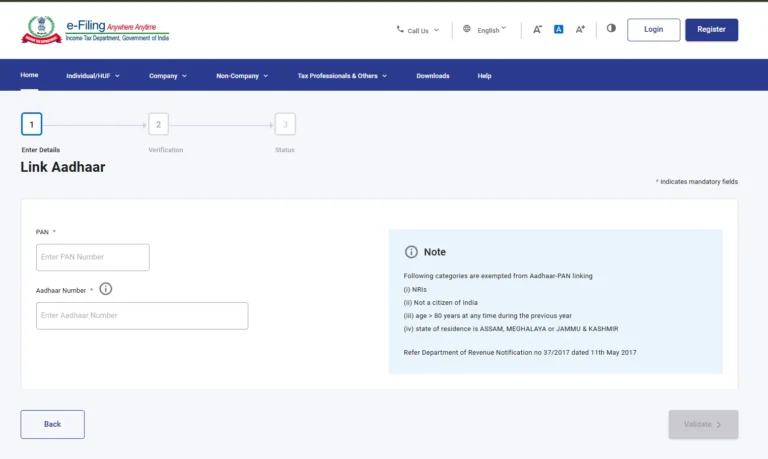
Step 4:- You will then be directed to a new page where you will need to enter your PAN card number and Aadhaar card number, and then click ‘Next’.
Step 5:- Upon clicking ‘Next’, a new message will appear on your screen, where you will need to click on “Continue to pay through PayTax”.
Step 6:- Next, you need to re-enter your PAN card number and mobile number, and then click ‘Continue’. You will then receive an OTP on your mobile number; enter that OTP and proceed by clicking ‘Continue’.
Step 7:- Next, the payment method options will appear before you; you will need to select ‘Income Tax’ and proceed.
Step 8:- Next, you will be presented with an option to select the Assessment Year; here, you need to select 2026-2027. Then, under ‘Payment Type’, select ‘Other Receipts (500)’ and proceed by clicking ‘Continue’.
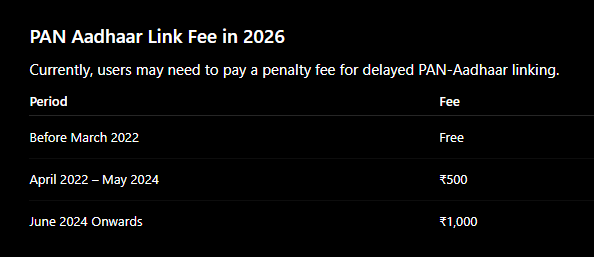
Step 9:- Next, a receipt for ₹1,000 will appear before you, where you will need to proceed and complete the payment of ₹1,000 using UPI or Net Banking.
Step 10:- Once you complete the payment, an option to download your challan receipt will appear, which you can download and keep for your records.
Step 11:- After paying the challan, you need to return to this portal after 1 to 2 hours and click on the ‘Link Aadhaar’ option.
Step 12:- Next, you will need to re-enter your PAN and Aadhaar numbers and click on ‘Validate’. Upon clicking, a message will appear displaying your Challan Number and BSR Code; simply click on ‘Continue’ once again.
Step 13:- Next, you need to enter your name and mobile number, and click on ‘Link Aadhaar’. You will receive an OTP on your mobile number; enter that OTP and click ‘Continue’.
Step 14:- As soon as you enter the OTP, your request to link your PAN card and Aadhaar card will be successfully completed. Within a few hours, your Aadhaar card and PAN card will be linked, and you will also be notified via a message.
Common PAN Aadhaar Linking Errors and Solutions
If your PAN and Aadhaar names are different:
Update either PAN or Aadhaar details first, Then try linking again
Why is PAN-Aadhaar Linking Important?
- Your PAN may become inoperative
- You may not be able to file ITR
- TDS may be deducted at a higher rate
- Bank and investment transactions can be affected
- Income tax refunds may get delayed