In today’s digital era, keeping your financial documents updated is more important than ever. If you are a taxpayer in India, linking your Permanent Account Number (PAN) with your Aadhaar is a mandatory requirement. Failure to do so can lead to your PAN becoming inoperative, which might affect your banking transactions and tax filings.
The good news? You can complete this process from the comfort of your home in just a few minutes. Here is the most attractive and easiest guide to help you link them online.
Step-by-Step Process to Link PAN and Aadhaar Online
Step 1:- First, visit its official website by clicking on the link provided below.
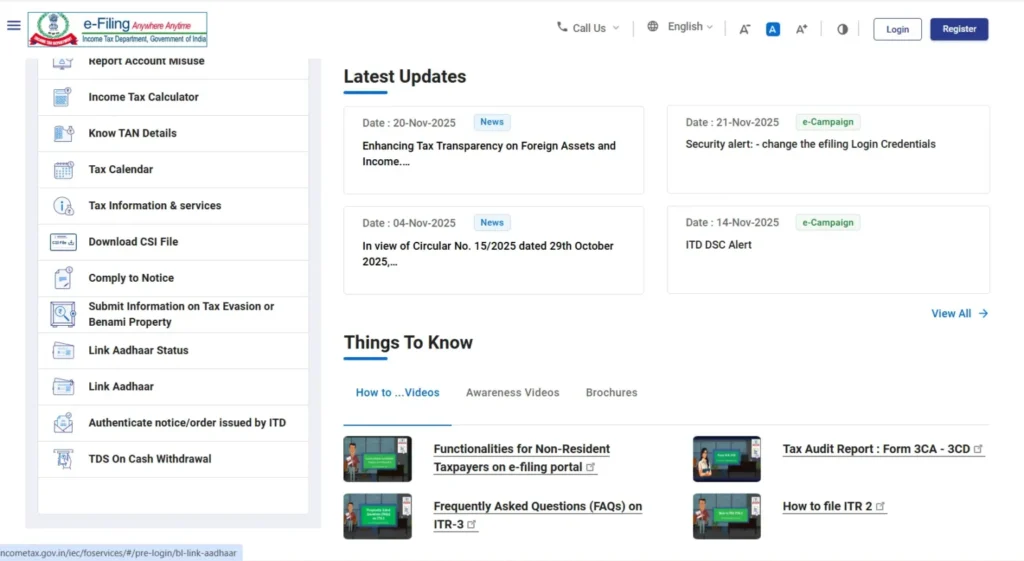
Step 2:- As soon as you visit the official website, you will find the ‘Link Aadhaar’ option there; you will need to click on it.
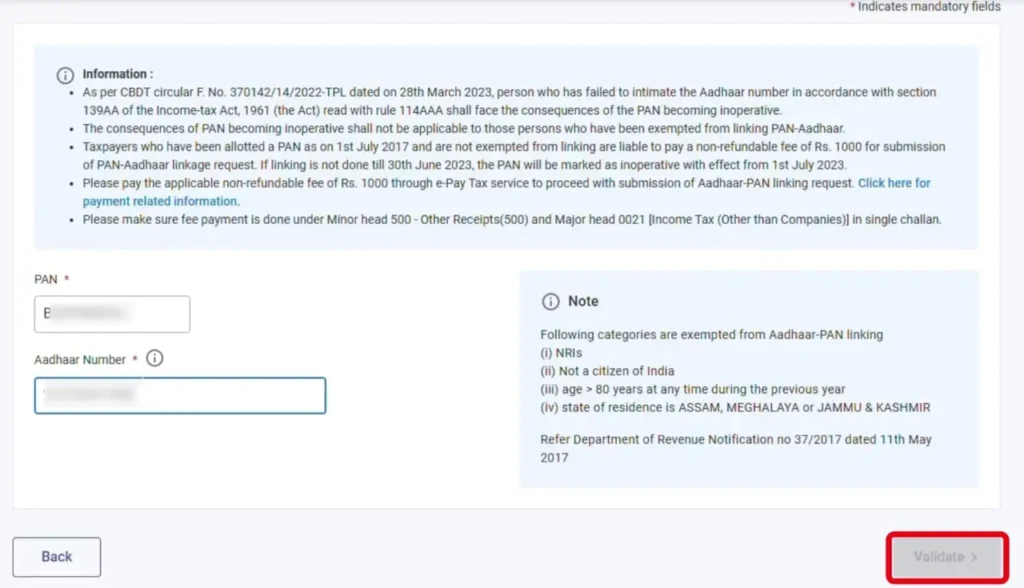
Step 3:- You will then be directed to a new page where you will need to enter your PAN card number and Aadhaar card number, and then click ‘Next’.
Step 4:- Upon clicking ‘Next’, a new message will appear on your screen, where you will need to click on “Continue to pay through PayTax”.
Step 5:- Next, you need to re-enter your PAN card number and mobile number, and then click ‘Continue’. You will then receive an OTP on your mobile number; enter that OTP and proceed by clicking ‘Continue’.
Step 6:- Next, the payment method options will appear before you; you will need to select ‘Income Tax’ and proceed.
Step 7:- Next, you will be presented with an option to select the Assessment Year; here, you need to select 2026-2027. Then, under ‘Payment Type’, select ‘Other Receipts (500)’ and proceed by clicking ‘Continue’.
Step 8:- Next, a receipt for ₹1,000 will appear before you, where you will need to proceed and complete the payment of ₹1,000 using UPI or Net Banking.
Step 9:- Once you complete the payment, an option to download your challan receipt will appear, which you can download and keep for your records.
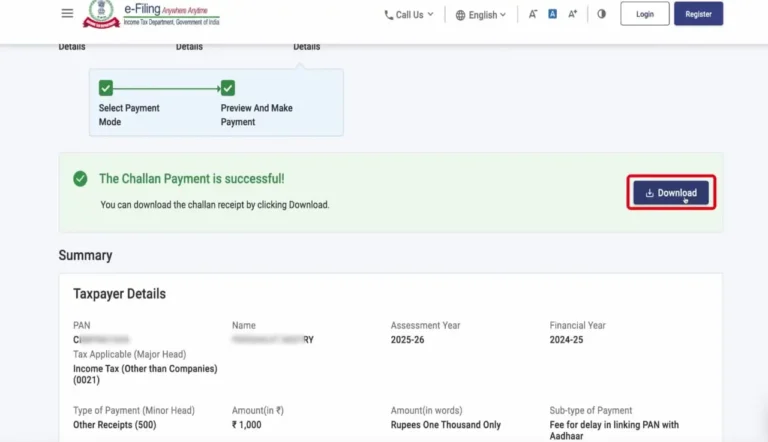
Step 10:- After paying the challan, you need to return to this portal after 1 to 2 hours and click on the ‘Link Aadhaar’ option.
Step 11:- Next, you will need to re-enter your PAN and Aadhaar numbers and click on ‘Validate’. Upon clicking, a message will appear displaying your Challan Number and BSR Code; simply click on ‘Continue’ once again.
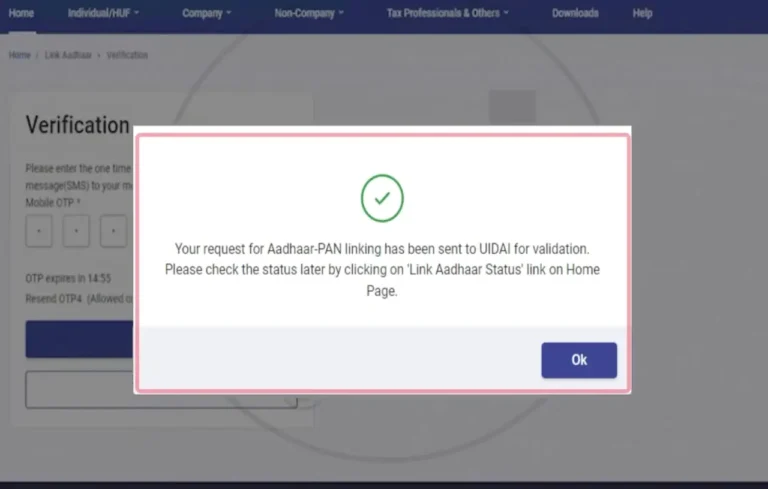
Step 12:- Next, you need to enter your name and mobile number, and click on ‘Link Aadhaar’. You will receive an OTP on your mobile number; enter that OTP and click ‘Continue’.
Step 13:- As soon as you enter the OTP, your request to link your PAN card and Aadhaar card will be successfully completed. Within a few hours, your Aadhaar card and PAN card will be linked, and you will also be notified via a message.
How to Check Your PAN-Aadhaar Link Status
Not sure if yours is already linked? Checking the status is even easier:
- Go to the e-Filing Homepage.
- Click on “Link Aadhaar Status.”
- Enter your PAN and Aadhaar numbers.
- Click “View Link Aadhaar Status.”
If it’s already linked, a green tick will appear saying, “Your PAN is already linked to Aadhaar.”