If you are not sure whether your Aadhaar is linked with your PAN, you can check the Aadhaar-PAN linking status online in just a few steps. The Income Tax Department provides an online facility that allows taxpayers to check their status without logging in to their e-Filing account.
All you need is your PAN number and Aadhaar number. Once you submit these details on the official Income Tax e-Filing portal, the system will display the current status of your Aadhaar-PAN linking request.
How to Check Aadhaar PAN Link Status Online
Step 1:- First, you need to visit the official website by clicking on the link provided above.
Step 2:- On the homepage: Scroll down slightly Click on “Link Aadhaar Status”
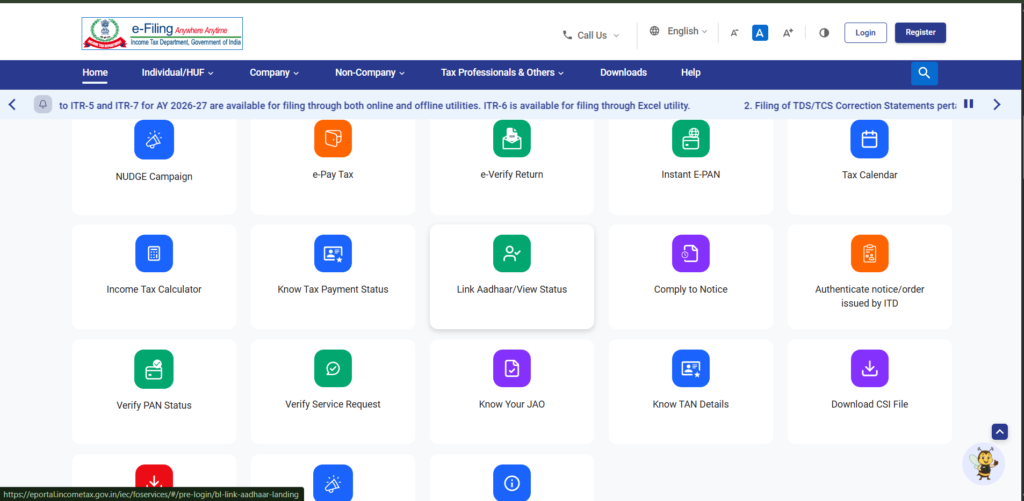
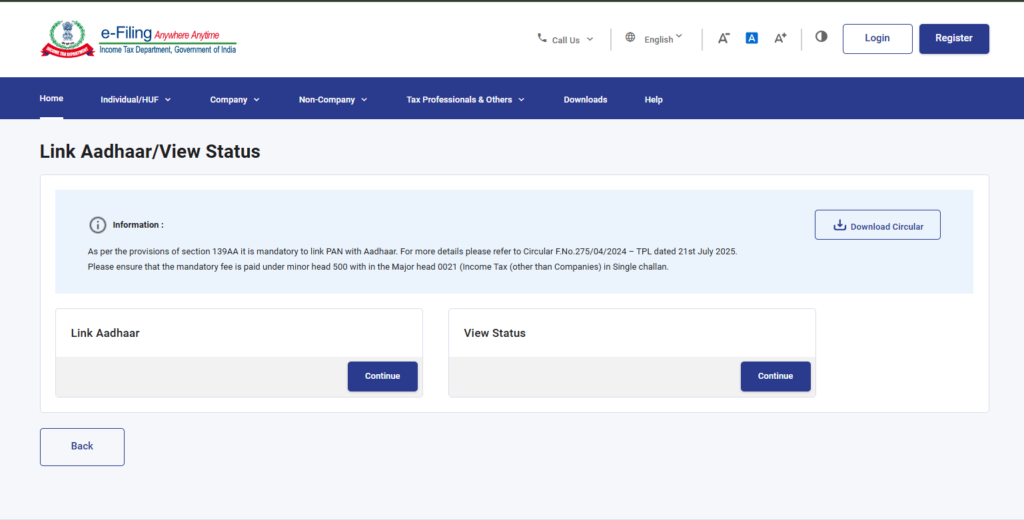
Step 3:- You will now see two options there: ‘Link Aadhaar’ and ‘View Status’. Since we want to check the status, we will click on the ‘View Status’ option.
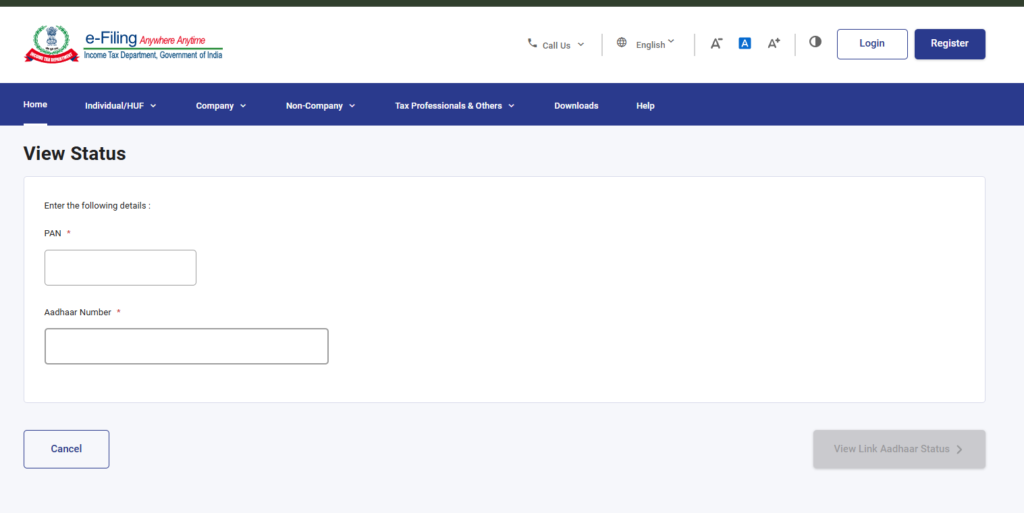
Step 4:- A new page will open where you need to enter your Aadhaar card number and PAN card number, and then click on the ‘View Link Aadhaar Status’ option.
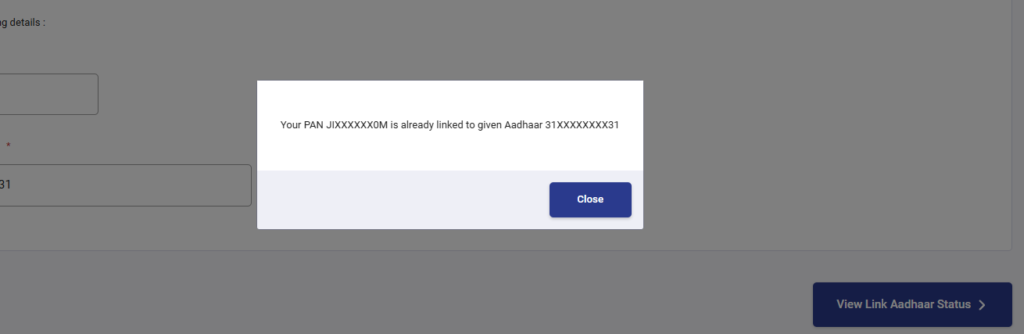
Step 5:- If your Aadhaar card and PAN card are already linked, a message box will appear on your screen clearly stating that they are already linked; conversely, if they are not linked, a similar message box will appear indicating that they are not linked and prompting you to link them.
If you want to link your Aadhaar card and PAN card, I have provided a link to an article below; by clicking on it, you can learn how to link them.
Step 7:-
Step 8:-