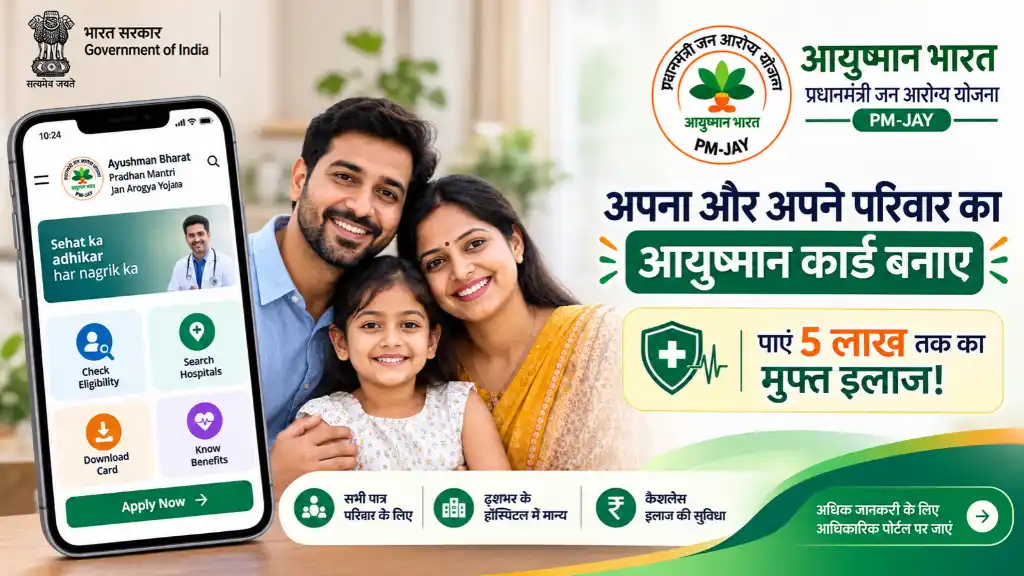
Ayushman Card Online Apply 2026: Nobody can say when illness will strike. Treatment at a private hospital can cost so much that it goes beyond the budget of an ordinary family. To help such families, the Central Government runs the Ayushman Bharat Pradhan Mantri Jan Arogya Yojana (AB PM-JAY). Under this scheme, eligible families and senior citizens get cashless treatment of up to ₹5 lakh every year.
If your Ayushman Card has not been made yet, there is no need to worry. You no longer have to run from office to office. You can now apply online using just your mobile phone.
Ayushman Card Scheme Overview
- Scheme name: Ayushman Bharat – Pradhan Mantri Jan Arogya Yojana (AB PM-JAY)
- Card: Digital Ayushman Card (Digital Health Card)
- Yearly cover: ₹5 lakh per family, every year
- Treatment: 100% cashless admission and treatment (secondary and tertiary care)
- Hospitals: Empanelled government hospitals and selected private hospitals
- How to apply: Online and through registered centres
Ayushman Card Eligibility
The government has kept the scheme wide so that people in need can get treatment on time.
- Economically weaker families: Poor, deprived and unorganised-sector families in villages and cities, such as SC and ST families and daily-wage workers.
- Senior citizens aged 70 years or above: Under the new rules, cards are being made for all senior citizens of this age. There is no income limit for them.
The eligibility details are as follows:
| Category | Eligibility Rule |
| PM-JAY eligible families | As per government beneficiary data (SECC / ration card data) |
| Senior citizens | Age 70 years or above, no income limit |
| Other beneficiaries | Based on state-level schemes and fixed rules |
Important Documents Required
Keep these things ready before filling the online form or doing e-KYC.
- Aadhaar card (with mobile number linked)
- Active mobile number for OTP verification
- Family identity proof, such as ration card or Family ID
- Proof of residence or identity
- Recent passport-size photograph
How to Apply Online For Ayushman Card
Step 1: Go to the official Beneficiary Portal of PM-JAY / NHA.
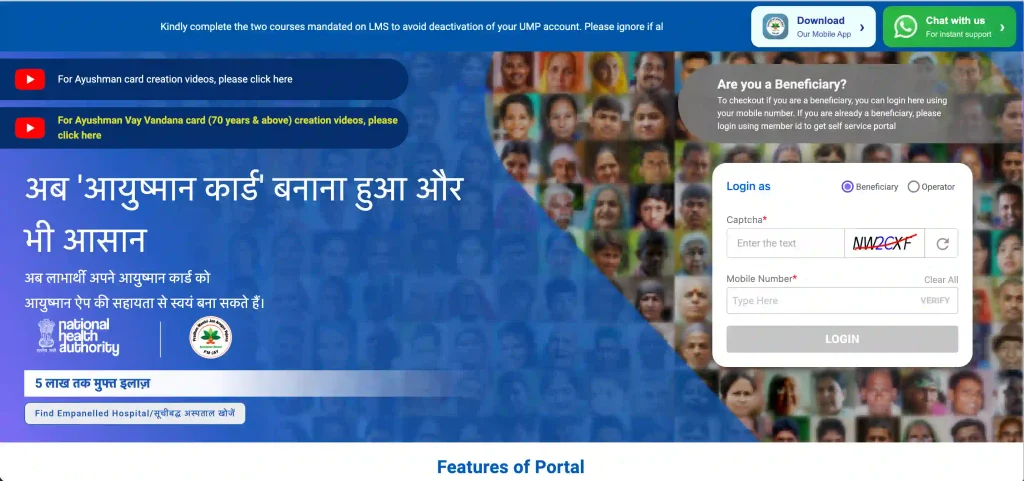
Step 2: Select “Beneficiary” on the homepage, enter your mobile number, and log in with the OTP.
Step 3: Select your state, the scheme, and your district.
Step 4: Find your name in the list using your Aadhaar number or ration card (Family ID).
Step 5: If your name is on the list, click on the e-KYC option and complete verification with Aadhaar OTP or biometrics.
Step 6: Check your personal details, upload your photo, and submit.
Step 7: Once e-KYC is successful, the card is generated after some time. You can download it from the same place.
How to Download Digital Ayushman Card
If your card is already made or approved, follow these steps.
- Log in to the official Beneficiary Portal or app with your mobile number.
- Complete OTP verification and open your profile.
- Click the “Download Card” button next to the name of the member whose card is approved.
The card will be saved on your device as a PDF. You can also take a printout if you wish.
Get Free Treatment at a Hospital
For treatment, go to any government or private hospital that is empanelled under PM-JAY. Meet the Ayushman Help Desk (Ayushman Mitra) there and show your Ayushman Card. The hospital representative will check your eligibility and the treatment package online. As soon as the verification is complete, your cashless treatment begins. You do not have to pay separately for admission or medicines.