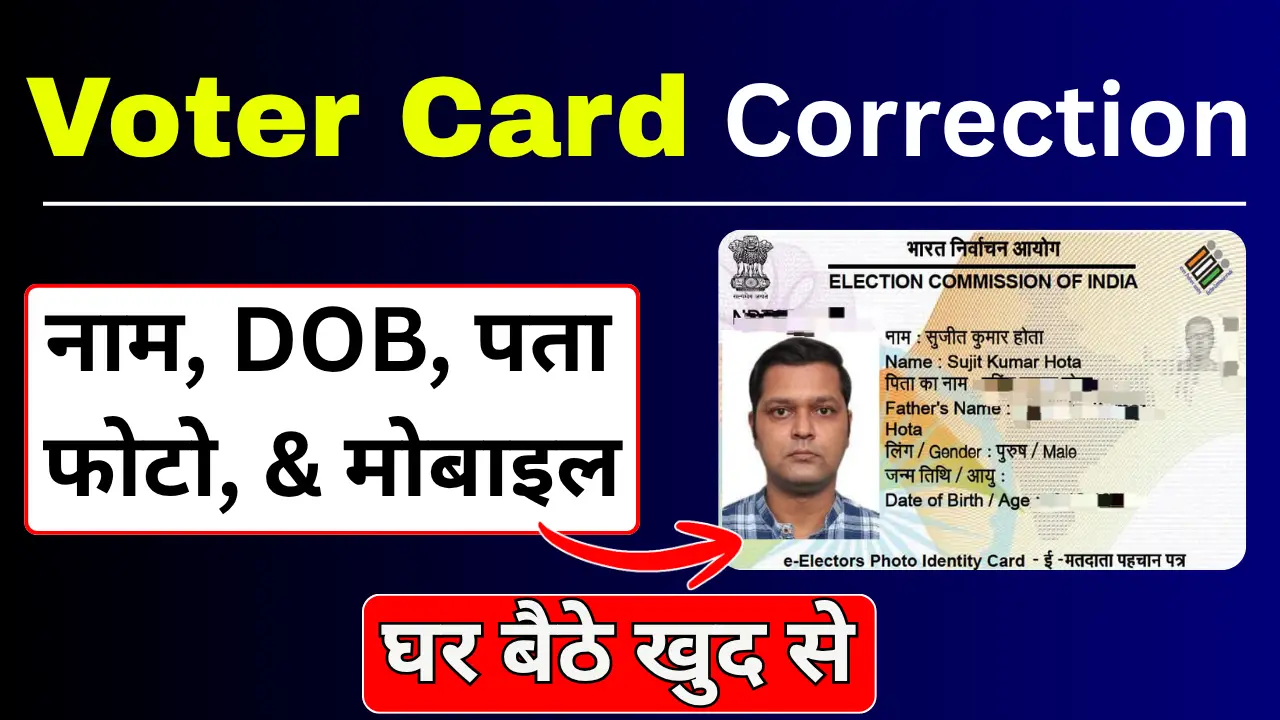
Having accurate details on your Voter ID card (Elector’s Photo Identity Card or EPIC) is essential for voting in elections and using it as a valid government photo ID proof across India. If your Voter ID contains spelling mistakes in your name, an incorrect date of birth, an old address, or an outdated photo, you can easily correct these details online from home.
The Election Commission of India (ECI) provides an easy online facility through the official Voters Service Portal (voters.eci.gov.in) to apply for corrections using Form 8.
How to make corrections to a Voter ID card?
Step 1:- First, visit the official website by clicking on the link provided above.
Step 2:- After visiting the official portal, click on “Login” and log in using your mobile number and OTP. If you are visiting the website for the first time, you will need to sign up.
Step 3:- After logging in, you will see the option to “Fill Form Number 8”; you will need to click on it.
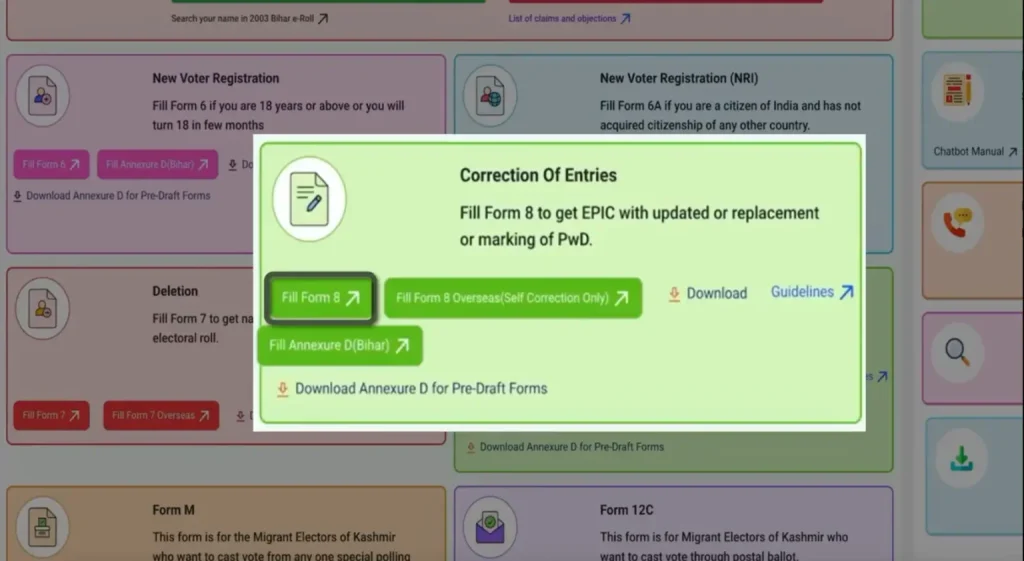
Step 4:- You will now see two options: ‘Self’ and ‘Other’. Select the ‘Self’ box, enter your Voter ID card’s EPIC number, and submit.
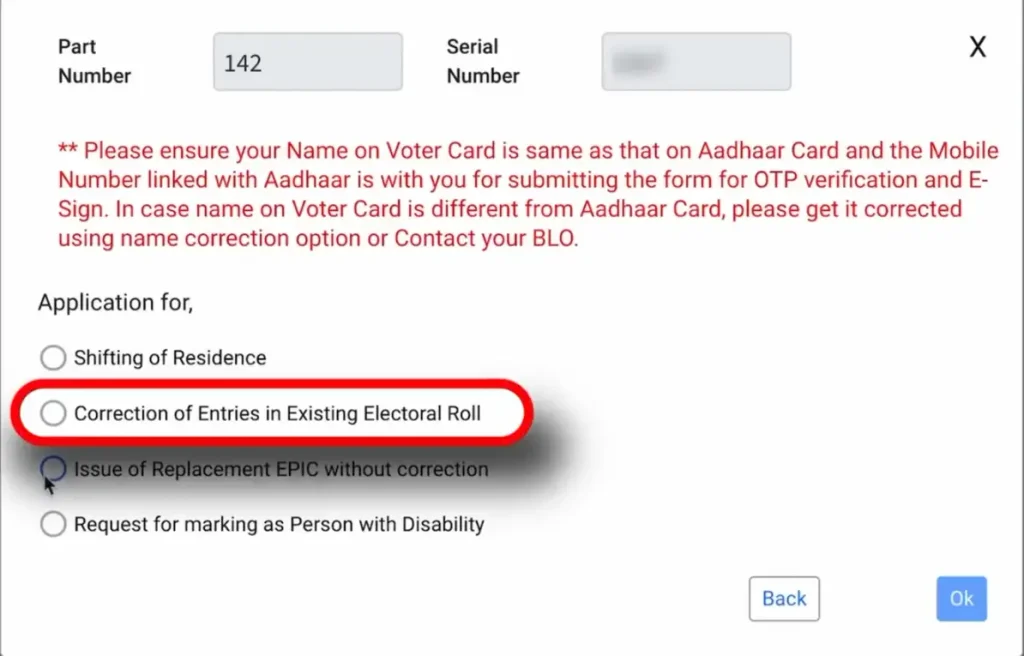
Step 5:- You will now see four options; select the second option—the ‘Correction’ box—by ticking it, and then proceed to the next step.
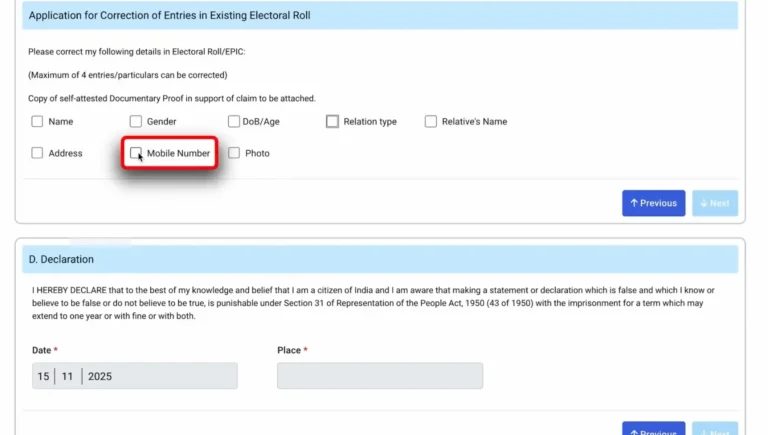
Step 6:- The complete Form 8 will now open; you must fill it out carefully and attentively. You need to tick the specific details you wish to correct—for instance, if you want to change your mobile number, tick the ‘mobile number’ option, enter your new number, and then proceed to the next step.
Step 7:- After carefully filling in and submitting all the details, you will need to complete the authentication process using your Aadhaar number; this involves entering your Aadhaar number and submitting the OTP sent to the mobile number linked to your Aadhaar card.
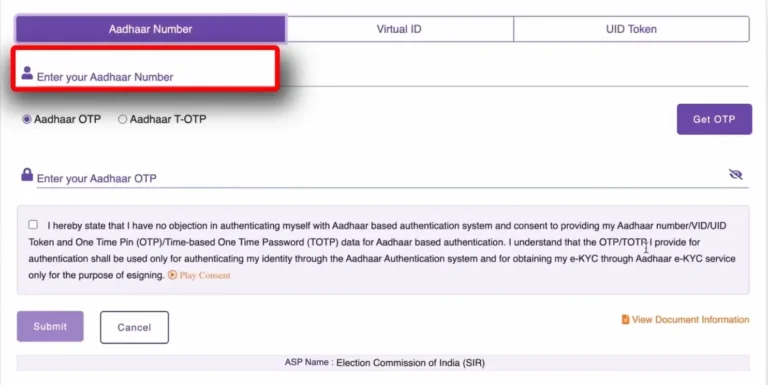
Step 8:- Once you complete the Aadhaar authentication, a reference number will be generated on your screen, which you can use to track your current status.
How to check the status of a Voter ID correction?
After submitting the application, you can check the status online using the reference number.
To check the status—
- Visit the portal.
- Select the ‘Track Application Status’ option.
- Enter the reference number.
- Click ‘Submit’.
The current status of your application will now appear on the screen.