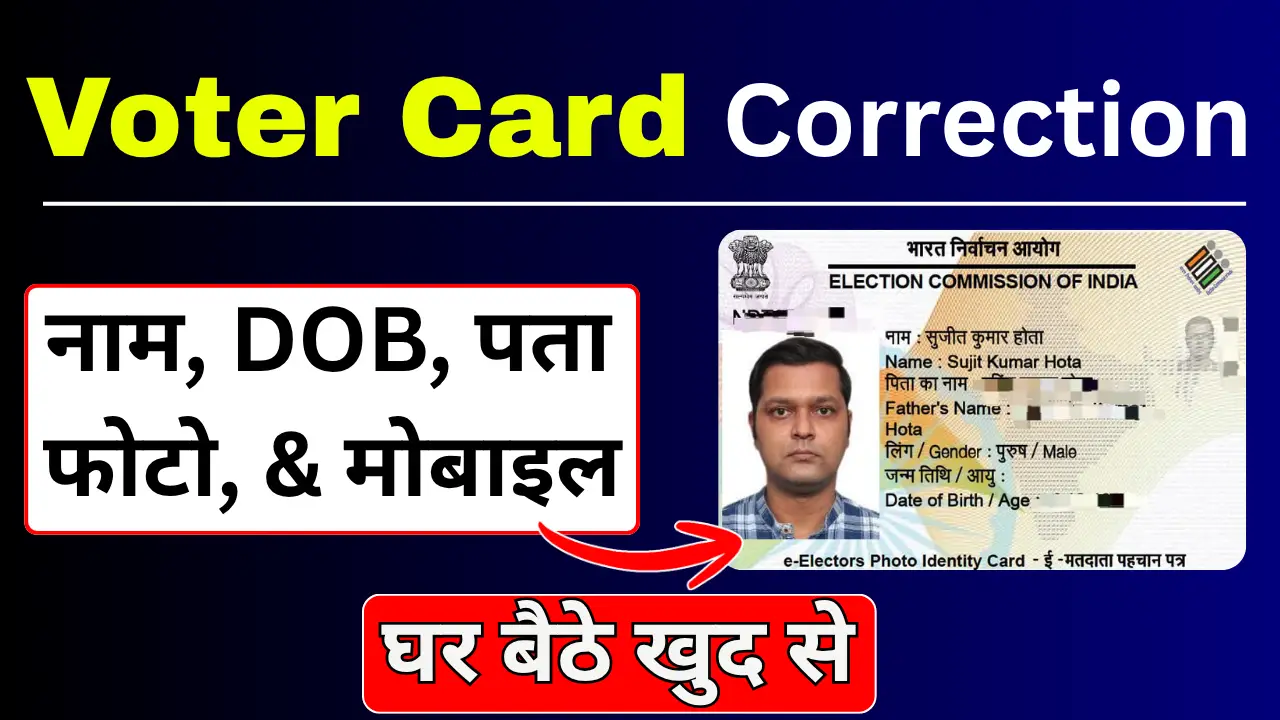
If there is an error in your Voter ID card—such as in your name, father’s name, date of birth, address, photograph, or any other detail—there is no need to worry. The Election Commission of India has introduced a facility that allows you to apply for corrections to your Voter ID card from the comfort of your home.
In this article, we will explain how to correct your Voter ID card, the required documents, the online application process, the offline procedure, how to check your application status, and the time it takes for the correction to be processed.
Prosses to corrections to a Voter ID card online?
Step 1:- First, visit the official portal by clicking on the link provided below.
Step 2:- After visiting the official portal, click on “Login” and log in using your mobile number and OTP. If you are visiting the website for the first time, you will need to sign up.
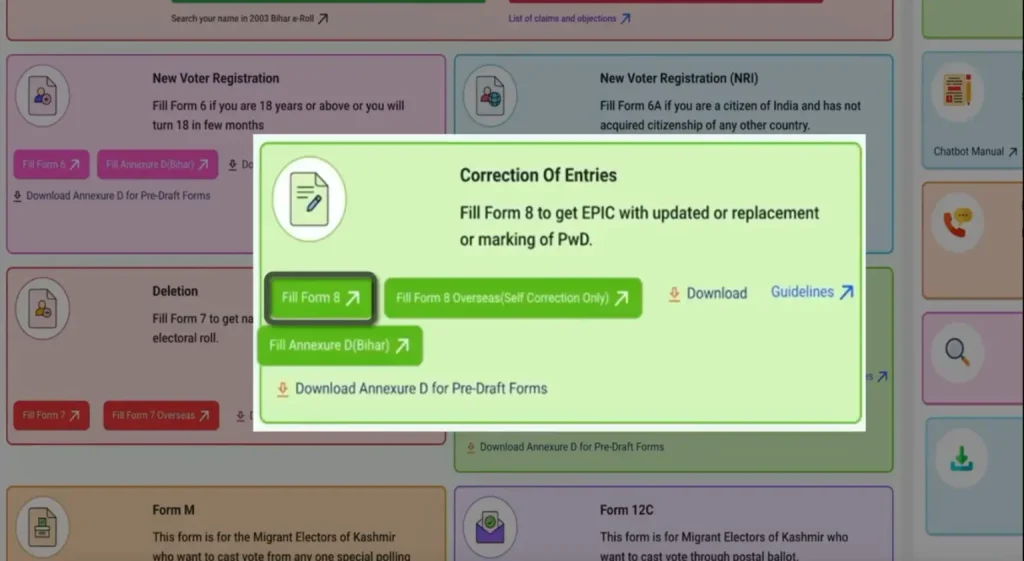
Step 3:- After logging in, you will see the option to “Fill Form Number 8”; you will need to click on it.
Step 4:- You will now see two options: ‘Self’ and ‘Other’. Select the ‘Self’ box, enter your Voter ID card’s EPIC number, and submit.
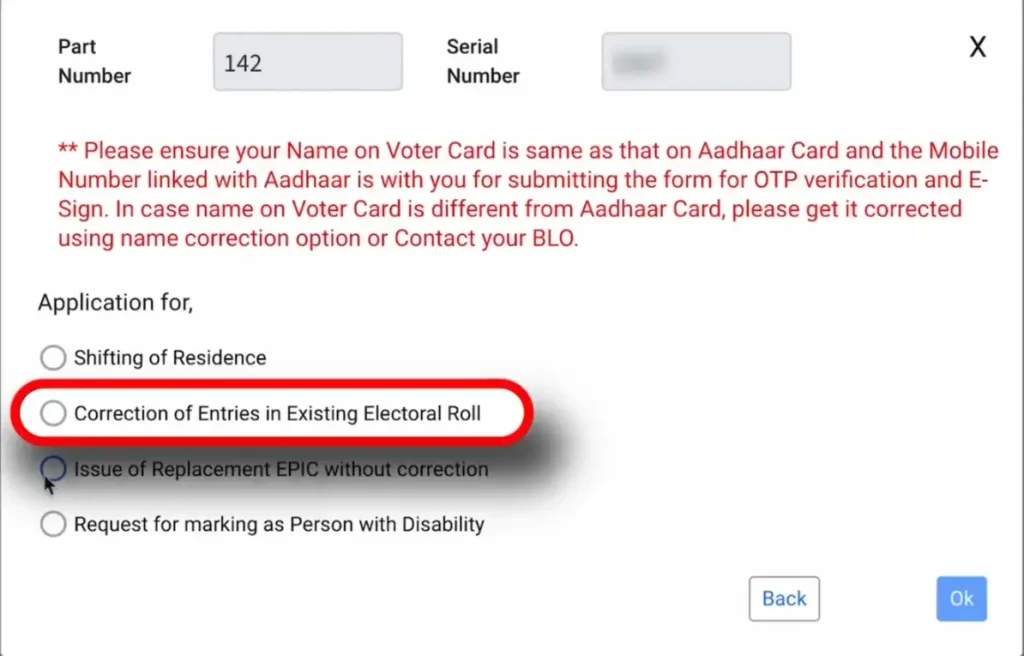
Step 5:- You will now see four options; select the second option—the ‘Correction’ box—by ticking it, and then proceed to the next step.
Step 6:- The complete Form 8 will now open; you must fill it out carefully and attentively. You need to tick the specific details you wish to correct—for instance, if you want to change your mobile number, tick the ‘mobile number’ option, enter your new number, and then proceed to the next step.
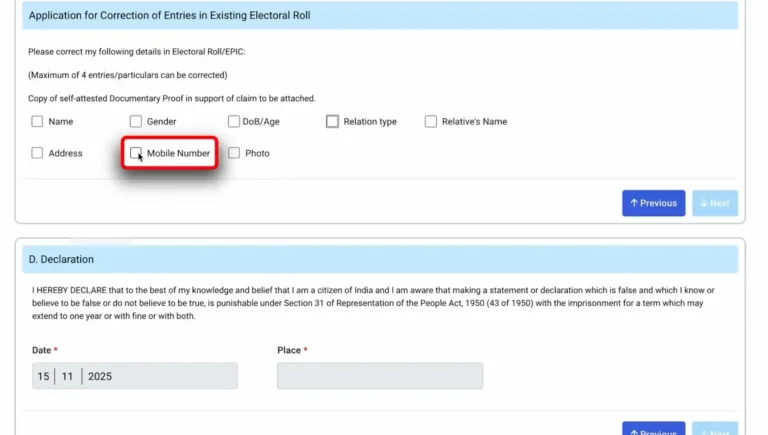
Step 7:- After carefully filling in and submitting all the details, you will need to complete the authentication process using your Aadhaar number; this involves entering your Aadhaar number and submitting the OTP sent to the mobile number linked to your Aadhaar card.
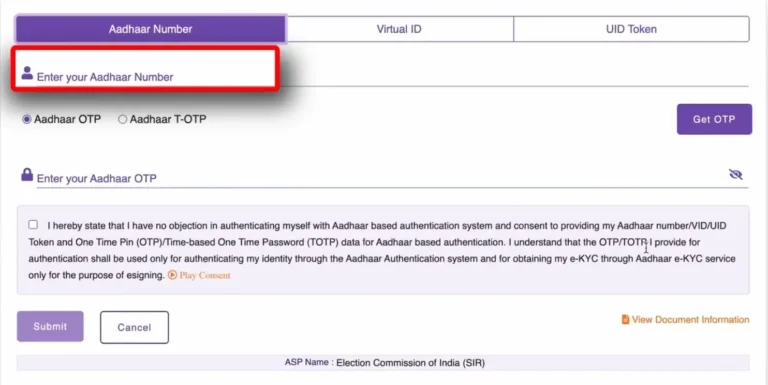
Step 8:- Once you complete the Aadhaar authentication, a reference number will be generated on your screen, which you can use to track your current status.
How to check the status of a Voter ID correction?
After submitting the application, you can check the status online using the reference number.
To view the status—
- Visit the portal.
- Select the ‘Track Application Status’ option.
- Enter the reference number.
- Submit.
The current status of your application will now appear on the screen.
How long does it take to correct a Voter ID?
Generally, the correction process is completed within 15 to 30 days after application verification.
However, this timeframe depends on your district and the verification of documents.